AI Chat
Install on my website
For putting the same assistant on a website of your own, somewhere other than BizGo. Your BizGo business page needs none of this — it carries the widget already.
Steps
-
Read the distinction first, because it saves the most time. Your BizGo business page has the chat widget served with it: nothing to paste, nothing to install, nothing to do beyond saving the page's widget settings. This screen exists only for a separate website you run — WordPress, Shopify, a hand-built site, anything.
-
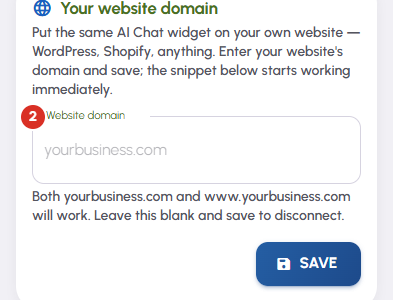
Put that site's address in Website domain and press Save. One domain is enough: both yourbusiness.com and www.yourbusiness.com are accepted for it.
-
Paste this on your website then appears, with a single line to copy. Add it to your site's pages just before the closing body tag. Copy puts the line on your clipboard.
-
It is the same assistant, not a second one. It uses this page's widget settings, and the conversations and leads it produces arrive on the same Conversations and Leads screens as the ones from your BizGo page, counted against the same allowance.
-
To stop it, clear the Website domain box and press Save. The snippet stops working straight away and your BizGo page is unaffected.


