SMART BUSINESS TOOLS
Share your business details clearly, answer customer questions faster, and look professional online. BizGo helps local businesses in India turn everyday information into more calls, more trust, and more customers.
Get Started Free See PricingHappy Businesses
Free Plan Available
Setup Time
AI Chat Support
BUSINESS DETAILS
Information software is most useful when customers need quick answers: your timings, location, services, prices, or how to contact you. BizGo puts all of that into one clean digital business page, so people do not have to call twice or keep asking the same questions.
For Indian local businesses, this matters because customers often decide fast on mobile. A clear online page builds trust, reduces confusion, and helps you stay ahead of competitors who still rely only on a phone number and a social media profile.
Show services, timings, address, and contact options without making customers search around.
Use WhatsApp and AI chat to answer common questions even when you are busy.
CORE FEATURES
BizGo writes a professional description for your business page, so you do not need to struggle with copywriting. It helps your information look complete and trustworthy from day one.
Customers in India prefer WhatsApp for quick questions, and BizGo makes that easy. Your page can guide them straight to a chat instead of making them hunt for your number.
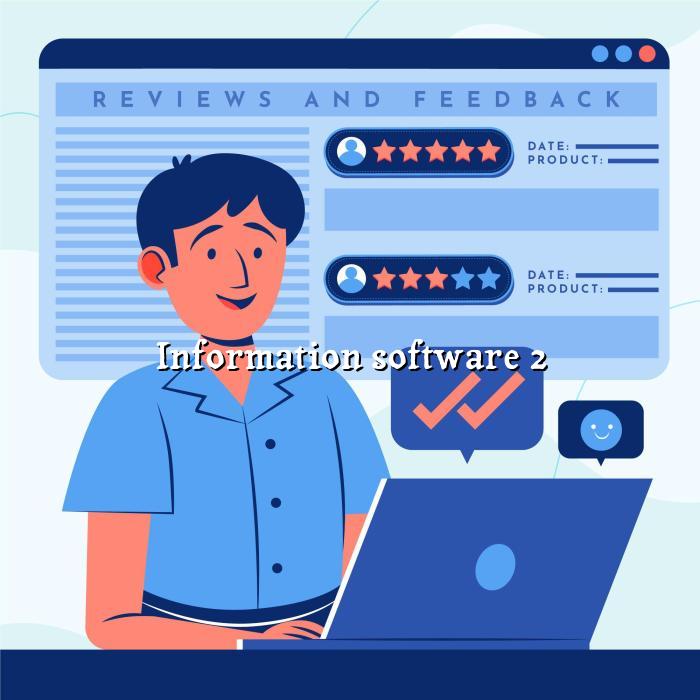
The built-in review tool helps you ask happy customers for Google reviews at the right time. That can improve your online reputation and make new customers feel more confident.
Print the QR code on counters, bills, menus, or posters and let customers open your page instantly. It is a simple offline-to-online bridge that works well for local shops and service businesses.
Most customers will view your page on a phone, so the layout is built to load cleanly on small screens. That means less friction and a better first impression.
Keep your business information current without building a full website from scratch. When your timings change or you launch a new service, your page can reflect it quickly.
HOW IT WORKS
Set up your page quickly, share it everywhere, and start making customer communication easier.
Sign up and add your business name, category, contact details, and location. BizGo keeps the process simple, even if this is your first online page.
Upload your gallery, list your services or products, and let AI help with the description. This gives customers a clearer picture of what you offer.
Use your link, QR code, and WhatsApp integration to share your page with customers. Then collect reviews and keep improving your online presence.
WHY CHOOSE BIZGO
A good business page should do more than list a phone number. It should help customers understand what you do, how to reach you, and why they should trust you. BizGo is built for that exact job, with a practical setup that suits busy owners.
Your page can be shared in chats, printed as a QR code, and used as a simple online presence. That makes it easier for nearby customers to find and contact you.
When timings, services, and location are clear, your staff spends less time answering the same queries. That saves time during busy hours.
The review tool helps you ask for feedback in a structured way. Over time, that can strengthen your reputation and improve how new customers view your business.
You do not need to be technical to get started. BizGo is designed so a shop owner, clinic, or contractor can go live quickly without a long setup process.
COMPLETE GUIDE
Information software is no longer just a back-office tool. For many local businesses, it has become the front door customers see first, especially when they search on mobile and want quick answers without calling around. A clean digital business page can show your services, timings, address, photos, and contact options in one place, which makes your business easier to understand at a glance.
That matters in India, where customers often compare several options before making a decision. If your information is scattered across messages, old posters, and social profiles, people may move on. BizGo helps bring that information together so your business looks organised, responsive, and ready for serious enquiries.
Trust starts with clarity. When a customer can see your location, opening hours, services, and WhatsApp contact on one page, they feel more confident reaching out. This is especially useful for salons, clinics, restaurants, and repair services, where people often want to check details before visiting. In that sense, information software is not just about storing data; it is about presenting the right details in a way that feels reliable.
A business that looks organised usually feels more dependable than one that leaves customers guessing. Even a small shop can create a stronger first impression by keeping its information current and easy to access. BizGo supports that by turning basic business details into a polished page that works well on phones and can be shared instantly.
Most local customers in India browse on their phones, often while they are on the move. That means your information must load fast, read clearly, and make it simple to tap a call button or open WhatsApp. If the page is cluttered or hard to use, people will leave before they even read your offer. A mobile-friendly digital business page solves that problem by keeping the experience short and direct.
This is where BizGo stands out for small businesses. Instead of forcing you to build a full website with many pages, it gives you a focused page that does the important work well. You can show products, services, timings, gallery images, and customer contact options without making the user scroll endlessly.
The best way to use information software is to make it part of your daily customer flow. Add your BizGo link to WhatsApp messages, print the QR code near the billing counter, and share the page in local groups or social profiles. If you run a restaurant, you can use it to display timings and menu highlights; if you run a clinic, you can use it to share services and appointment details; if you run a hardware store, you can list product categories and location clearly.
You should also keep the page updated whenever something changes. New timings, a holiday closure, a new service, or a fresh offer should be reflected quickly so customers do not get the wrong impression. BizGo makes that practical for busy owners, and the built-in review and AI chat features add extra value without making the process complicated.

FAQ
EXPLORE MORE
Learn who built BizGo and why it is designed for local businesses across India. It is a good place to understand the product and the team behind it.
Compare the Free, Basic, Pro, and Premium plans to see what fits your business best. It is the fastest way to choose a plan and get started.
See how the review tool fits into your customer journey and helps you collect more Google reviews. It is especially useful if reputation matters in your category.
Create your BizGo page, share your details clearly, and make it easier for customers to contact you. It is a simple step that can improve trust, visibility, and enquiries.