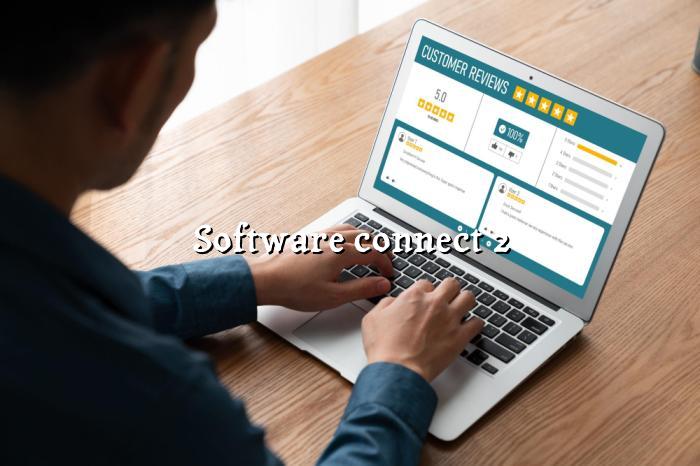
SMART CONNECT
Software connect your business page with WhatsApp, reviews, and AI support so customers can reach you faster. BizGo helps local businesses in India stay visible, responsive, and ready for more enquiries.
Get Started Free See PricingHappy Businesses
Free Plan Available
Setup Time
AI Chat Support
CONNECTED PAGE
Software connect is about making your business page work like a real customer-handling system, not just a static profile. For Indian local businesses, that means one page can handle enquiries, reviews, and contact actions in a way that feels simple on mobile.
BizGo brings together the parts customers use most: WhatsApp, Google review prompts, timings, location, and AI replies. If you run a salon, clinic, restaurant, or shop, this kind of software integration saves time and helps you respond before the customer moves on.
Let customers message you instantly from your page without extra steps.
Guide happy customers to leave Google reviews while the experience is still fresh.
CONNECTED FEATURES
Your page can answer common customer questions around the clock. That helps when people ask about timings, services, or how to book, especially outside business hours.
BizGo helps you ask for reviews in a cleaner, more consistent way. That matters because many local buyers check ratings before they call or visit.
Every page gets a QR code you can print on counters, bills, posters, or packaging. Customers scan once and land on your page without searching around.
Most customers will open your page on a phone, so the layout stays clean and easy to use. That makes the experience smoother and reduces drop-offs.
Customers in India often prefer WhatsApp over forms or emails. BizGo keeps that contact path simple, fast, and familiar.
Show when you are open, where you are, and how people can reach you. Small details like these often decide whether a customer contacts you or skips you.
HOW IT WORKS
Set up your page, connect the tools you need, and start sharing it with customers right away.
Sign up and add your business details. BizGo builds a mobile-friendly page that is ready to share in minutes.
Enable WhatsApp, review collection, timings, and other useful sections. This gives customers a smoother way to reach you.
Use your link and QR code on posters, bills, and social media. The more people see it, the easier it becomes to get enquiries and reviews.
WHY CHOOSE BIZGO
A connected business page is useful when you want fewer missed calls, faster replies, and a cleaner customer journey. BizGo keeps the setup simple, which matters for owners who do not want to spend time managing multiple apps.
Most Indian customers browse on phones, so the page is designed to load fast and stay easy to tap through.
AI chat and contact buttons reduce the back-and-forth that usually eats up your time during busy hours.
When customers have a simple path to leave feedback, you are more likely to collect reviews consistently instead of hoping they remember later.
A clean digital page helps your business look organised, even if you are just starting out online.
IN DEPTH
Software connect is no longer a nice extra for local businesses; it is becoming part of everyday customer handling. When a customer finds your page, they want quick answers, a clear contact option, and proof that your business is active. BizGo helps you bring those pieces together in one place, so you are not sending people from one app to another.
For Indian business owners, this matters even more because most enquiries happen on mobile and often outside office hours. A connected digital business page can keep working while you are busy serving customers, which is a practical advantage in a crowded local market.
A customer usually does not want to hunt for your number, wait for a callback, or fill out a long form. They want one tap to WhatsApp, one tap to call, or one quick answer from a chat assistant. That is where software integration makes a real difference, because it shortens the gap between interest and action.
Think of a restaurant owner handling lunch rush enquiries or a clinic answering appointment questions after hours. If the page can respond instantly, even with basic details like timings, location, or service availability, the business looks more reliable and the customer feels more confident.
Many businesses use separate tools for reviews, messaging, and customer support, but that often creates confusion. A better approach is to keep the journey simple: the customer visits one page, sees the business details, asks a question, and leaves feedback when the experience is good. That is why BizGo combines AI chat, Google review collection, and WhatsApp contact in one flow.
This kind of setup is especially useful for service businesses that depend on trust. A salon, contractor, or repair shop can benefit from a page that looks professional and also nudges satisfied customers to share a review without extra effort.
Start with the basics: keep your timings updated, add a clear service list, and make sure your WhatsApp button is easy to find. Then place your QR code where customers already look, such as the billing counter, packaging, table stand, or reception desk. If you already use Google Business Profile, your BizGo page can support that presence by giving people a cleaner, more direct place to act.
The goal is not to add more work. The goal is to reduce friction so customers can contact you, trust you, and review you faster. With BizGo, software connect becomes a simple business habit instead of a technical project.
FAQ
EXPLORE MORE
Learn who built BizGo and why the platform is focused on helping local businesses across India go online quickly.
Compare the Free, Basic, Pro, and Premium plans to see which option fits your business stage and goals.
Preview how a BizGo page looks and works before you create your own. It is a quick way to understand the customer experience.
Create a BizGo page, connect WhatsApp and reviews, and give customers a faster way to reach you. It is a simple step that can make your business look more active and easier to trust.