DIGITAL VISITING CARD

WhatsApp Business Card

Share your business details on WhatsApp in a clean, mobile-friendly way and turn quick chats into real enquiries. BizGo helps you look professional, get found faster, and bring in more customers.

Get Started Free See Pricing

2 min

Setup time

₹0

Free plan starts at

24/7

AI chat support

2100+

Happy businesses

WhatsApp business card — BizGo

SMART SHARING

A Better WhatsApp Business Card for Local Businesses

A WhatsApp business card gives your customers one simple place to see who you are, what you offer, and how to reach you. For Indian local businesses, that matters because most enquiries now begin on mobile, often in a WhatsApp chat.

BizGo turns that first contact into a proper digital page with your services, timings, location, gallery, and review tools. Instead of sending a plain number or a static image, you share a link that works like a mini website and keeps working for you day and night.

Instant WhatsApp Contact

Customers can tap and message you without searching for your number again.

QR Code Sharing

Print your QR code on counters, bills, menus, or packaging for quick access.

Get in Touch

WHAT YOU GET

Everything Inside Your WhatsApp Business Card

AI-Written Business Profile

BizGo can write a clear business description for you, so your card does not look empty or unfinished. That helps first-time visitors understand your business faster and trust you sooner.

Google Review Collection

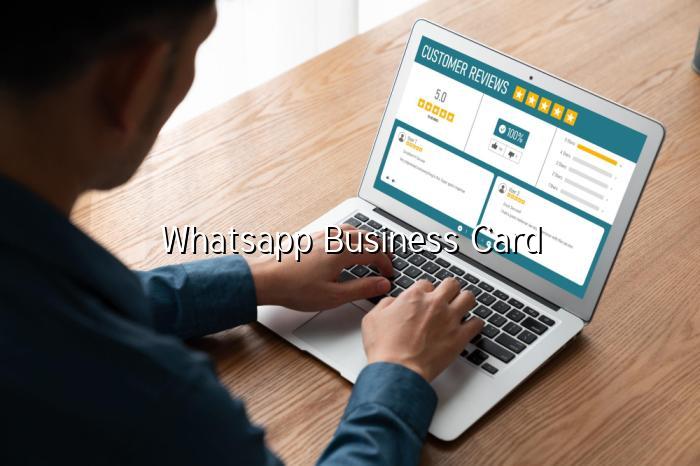
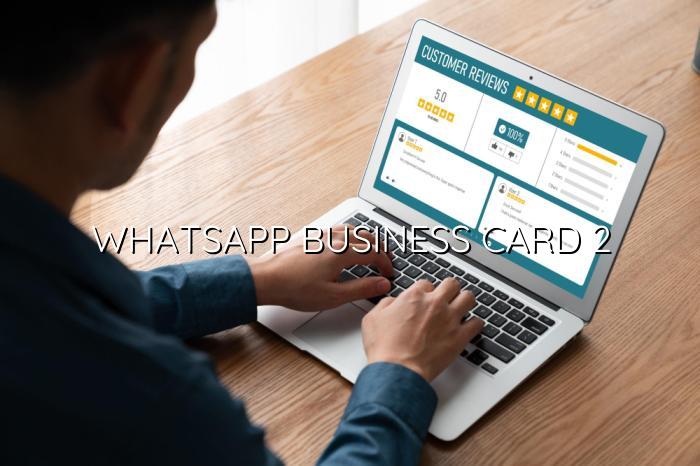
The Pro plan includes a review tool that helps you ask happy customers for feedback at the right moment. For local businesses, that can make a real difference when people compare options online.

24/7 AI Chat Assistant

Your page can answer common customer questions even when you are busy serving people. That means fewer missed leads and faster replies, especially after business hours.

WhatsApp and Call Buttons

Customers can contact you in the way they prefer, without hunting through messages or screenshots. That keeps the journey short and smooth on mobile.

Gallery, Services, and Timings

Show your work, list your services, and display opening hours in one place. That makes your card more useful than a plain contact number or a social media bio.

Easy Link Sharing

Share your BizGo page on WhatsApp groups, Instagram bios, bills, and visiting cards. One link can do the job of several scattered contact points.

HOW IT WORKS

Get Your WhatsApp Business Card Live in 3 Steps

Set up your page once, then share it everywhere your customers already are.

01
Create Your Page

Sign up and add your business name, category, contact details, and location. BizGo keeps the process simple, even if this is your first online page.

02
Add Your Content

Upload photos, list services, set timings, and let AI help with the description. You can also enable review collection and WhatsApp contact options.

03
Share the Link or QR

Send the page on WhatsApp, print the QR code, or add the link to your profiles. Customers can open it in seconds and contact you right away.

WHY CHOOSE BIZGO

Why Indian Businesses Prefer a Smart WhatsApp Business Card

A good WhatsApp business card should do more than show your phone number. It should help people trust your business, contact you quickly, and take the next step without confusion. BizGo is built for that exact flow, especially for mobile-first customers across India.

Looks Professional on Mobile

Your page is clean, responsive, and easy to read on any phone. That matters because most customers will open it from WhatsApp itself.

Built for More Enquiries

The page is designed to move people from curiosity to action with clear buttons and useful details. That can help you get more calls, messages, and walk-ins.

Easy to Update Anytime

If your timings, offers, or services change, you can update the page without reprinting anything. That is far better than a static card or old brochure.

Start Free
WhatsApp sharing and QR code — BizGo

IN DEPTH

How a WhatsApp Business Card Helps Local Businesses Win More Customers

A WhatsApp business card is more than a neat way to share your number. For many Indian local businesses, it becomes the first proper digital touchpoint a customer sees after a recommendation, a social media post, or a quick search. When that card is clear, mobile-friendly, and easy to act on, people are far more likely to message, call, or visit.

The real value is not just in looking modern. It is in reducing friction. A customer should not have to ask for your address twice, search for your timings, or wonder whether you are still open. A well-built digital page solves that in one shot, which is why many owners now prefer a WhatsApp business card over a plain image or a long text message.

Why a Simple Contact Card Is Not Enough Anymore

A basic card may show your name and phone number, but that is where it stops. Customers today want quick proof: what do you sell, where are you located, are you open now, and can they trust you? That is especially true in competitive local markets where people compare two or three businesses before making a decision.

A stronger WhatsApp business card gives them answers before they even ask. With BizGo, you can add services, photos, timings, and a review section, so the card feels complete and useful. That small difference often decides whether a lead becomes a conversation or disappears into the chat list.

How WhatsApp, Reviews, and Mobile Pages Work Together

WhatsApp is already the default communication tool for many customers in India, which makes it the perfect place to share your business page. But the chat itself is only one part of the journey. If the customer can also open a digital business page, see your details, and leave a review after a good experience, you create a smoother and more trustworthy flow.

This is where BizGo stands out. The platform combines a shareable page, WhatsApp contact, and a review collection tool in one place, so you are not juggling separate apps or links. For a salon, clinic, restaurant, contractor, or shop owner, that means less manual follow-up and more chances to turn a happy customer into a repeat customer.

Practical Ways to Use Your Card Every Day

Start by placing your QR code where customers already look: on the counter, billing desk, menu, packaging, or service invoice. Then share the same link in WhatsApp groups, Instagram bios, and customer follow-up messages. If you are active on Google Business Profile, your digital page can also support that effort by giving people a richer view of your business.

Keep the message simple when you share it. Tell customers what they can do next: view services, chat on WhatsApp, or leave a review. That direct approach works well in India because people respond better when the next step is obvious and quick. BizGo makes that easy by giving you one page that can be shared everywhere without extra technical work.
FAQ

Frequently Asked Questions

A WhatsApp business card is a shareable digital card that lets customers view your business details and contact you on WhatsApp instantly. With BizGo, it can also include services, timings, location, photos, and a review link, so it does more than a plain contact card.

You can create one by setting up your BizGo page, adding your business details, and sharing the link or QR code on WhatsApp. The page is mobile-friendly, so customers can open it quickly and tap to chat, call, or leave a review.

Yes, if your card includes a review collection flow, customers can be nudged to leave feedback after a good experience. BizGo Pro includes a built-in review tool that makes this easier for Indian local businesses.

A PDF card is static, while a digital WhatsApp business card can be updated anytime and can include buttons, photos, timings, and review links. That makes it more useful for businesses that want more enquiries and better visibility.

BizGo offers a Free plan at ₹0/year, Basic at ₹199/year, Pro at ₹599/year, and Premium at ₹1,999/year. You can start free and upgrade when you want more features like review collection and stronger customer engagement.

EXPLORE MORE

More from BizGo

About BizGo

Learn who built BizGo and why the platform is focused on helping local businesses go online quickly and affordably.

Pricing

Compare the Free, Basic, Pro, and Premium plans to choose the right fit for your business goals and budget.

See a Demo

Preview how a BizGo page looks and works before you create your own WhatsApp business card.

Ready to Turn WhatsApp Chats into More Customers?

Create your BizGo WhatsApp business card today and give customers one simple place to contact you, check your details, and leave reviews.

WhatsApp