Business page
SEO pages
Extra landing pages written for you by AI, aimed at the long, local phrases people actually search for. Each one hangs off a business page you already have.
Steps
-
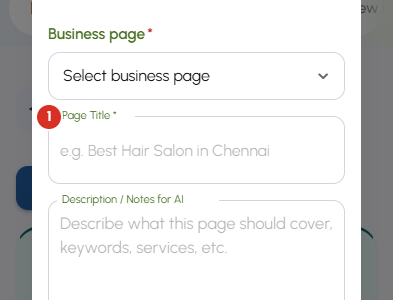
Press Create SEO page. Choose which Business page it belongs to, give it a Page Title that reads like a search — the kind of phrase a customer would type — and use Description / Notes for AI to say what it should cover.
-
Leave Meta Description empty and it is written for you. The three buttons under Need help writing this page open free tools for finding keywords, building meta tags and previewing how the result looks in search.
-
Generate & save writes the page and drops it into the list as a Draft. Drafts are private — nobody can reach one until you publish it.
-
Each card shows its title, which business page it sits under, its address and its meta description. The switch on the left publishes and unpublishes it; the icons on the right are preview, edit, regenerate and delete.
-
Regenerate rewrites the content from your notes. If you preferred what was there before, the history icon appears on that card and restores the version from just before the last regenerate.


