← All help topics

Account & tools

Running a tool

What every tool screen has in common — where the tool runs, how to tell whether it costs a credit, and what happens when a run is refused. Each tool explains its own fields on its own screen.

தமிழில் படிக்க

Steps

  1. The tool fills the panel under the title. It is the same tool BizGo publishes publicly, running inside your dashboard, so you are already signed in to it: there is nothing to install, nothing to paste, and no separate login.
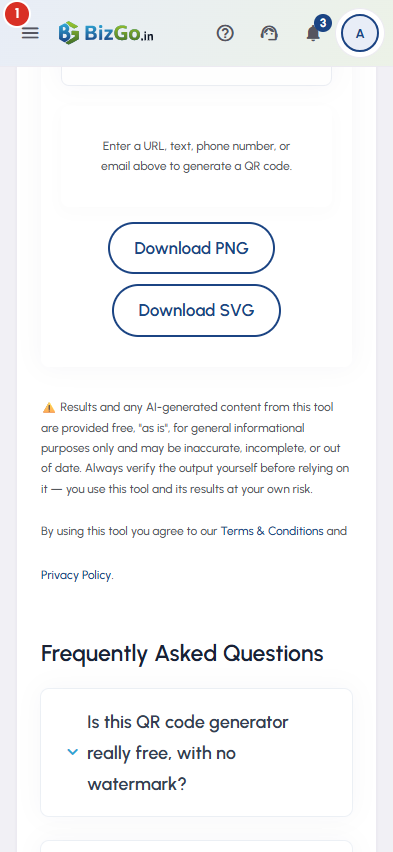
    Running a tool — 1
  2. Look immediately under the title. A credit meter there means this tool is metered, and the chip beside it says what one run costs. No meter means the tool costs nothing at all — most tools have none, and that is the whole signal.

  3. Fill in the tool's own fields and press its own button. A credit is taken only when a run actually reaches BizGo and produces something; the meter above updates by itself the moment it does. Reading a result again, or re-opening the screen, costs nothing.

  4. If the month's credits are gone, the tool says so where the result would have been and offers both ways on: Buy credits, and Upgrade plan. What you typed stays on the screen, and every free tool keeps working exactly as before.

  5. All tools, at the top left, goes back to the hub. The icon at the top right opens the same tool in a full browser tab, which suits the poster and PDF builders. More in this category, at the foot of the screen, moves you sideways to a neighbouring tool.

Questions

Because there are far too many of them, and each one already carries its own instructions on its own screen. This article covers what they all share: where the tool runs, what it costs, and what happens when it will not run.

One run of one metered tool. Some tools cost more than one run's worth because they do more work — an image weighs more than a sentence — and the chip beside the meter states this tool's own price before you press anything. What your plan includes each day is published at bizgo.in/pricing.

If the run had drawn a credit you had bought, it is put back automatically, and it appears on the credits screen as Returned. A credit from the month's included allowance is not returned that way — but that allowance starts again at the page's next subscription-month date in any case.

The link is for a tool that has been renamed or retired. Press Browse all tools and search for it by name; almost everything that moved is still there under a clearer one.

No. A tool takes what you type, gives you a result back, and stops there. It publishes nothing, and it changes no setting on any of your pages.

Related

Three Products, One Dashboard

Your page, your plan. The Review Engine and AI Chat come with Pro and Premium — manage every page from one dashboard.

Digital Business Page

Your whole business on one shareable link — logo, services, timings, location and contact. Live in minutes.

Learn more →

Review Engine

Runs a WhatsApp follow-up campaign for every customer you serve, until they leave you a Google review.

Learn more →

AI Chat

Answers your visitors 24/7, captures their name and phone, and drops every lead into your CRM.

Learn more →
WhatsApp