← All help topics

Review Engine

Starting a review campaign

Where you add a customer you have just finished a job for and start their review campaign. It is the first screen you land on when you open a page's engine.

தமிழில் படிக்க

Steps

  1. Fill in Quick add on the left — the customer's name and their 10-digit mobile number — then press Start review campaign.
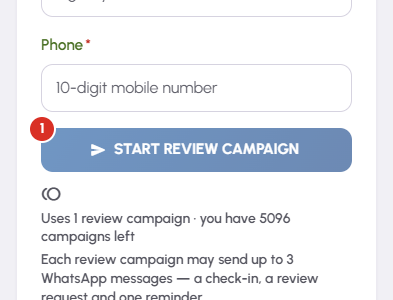
    Starting a review campaign — 1
  2. The line under the button says the campaign uses one review campaign and how many this page has left. One campaign is one credit, whatever happens next, and it is taken at this moment.

  3. Message preview on the right shows the exact wording of the check-in, the review request and the reminder, using this page's saved business name and review link.

  4. A green Enrolled note confirms it, lists when each of the three messages becomes due, and offers Go to Send queue. That queue is where you open WhatsApp and press send yourself.

  5. Recent review campaigns below lists everyone enrolled on this page. The Sequence column shows the three steps and where each has got to; Stop on an active row cancels whatever is left.

Questions

One review campaign. That campaign covers up to three messages — a check-in, a review request and one reminder — and all three come out of the same single credit. It is deducted once, when you press Start review campaign.

No. Starting a campaign writes the three messages and works out when each is due. Each one then waits on the Send queue until you open WhatsApp and press send from your own phone.

If none of its messages had gone yet, yes — the credit returns to this page's balance and the confirmation says so. Once the first message has gone, the credit stays spent.

Buy campaigns is on the balance panel at the top of the screen. A pack is added on top of whatever the plan already includes. Balances belong to a page, so credits sitting on another of your pages will not help this one.

The review request needs somewhere to send people. Open Settings for this page and paste your Google review link into the Google review link field.

Related

Three Products, One Dashboard

Your page, your plan. The Review Engine and AI Chat come with Pro and Premium — manage every page from one dashboard.

Digital Business Page

Your whole business on one shareable link — logo, services, timings, location and contact. Live in minutes.

Learn more →

Review Engine

Runs a WhatsApp follow-up campaign for every customer you serve, until they leave you a Google review.

Learn more →

AI Chat

Answers your visitors 24/7, captures their name and phone, and drops every lead into your CRM.

Learn more →
WhatsApp